









Introduction
If you have been looking into home theater systems or soundbars recently, you might have come across numbers like 5.1.2 and 7.1.4. At first glance, they can look confusing but don’t worry. They just tell you how many channels are in the system.
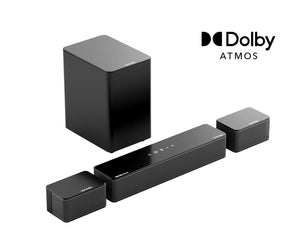
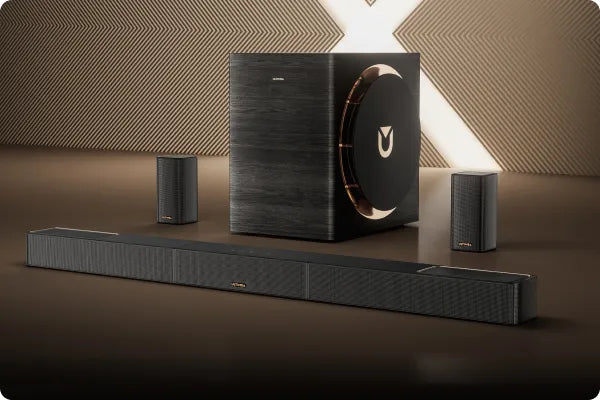
Technology has come a long way and what used to require a full AV receiver can now be done with just one soundbar. For example, the Skywave X40 or F40 Boom uses a 5.1.2 setup while the X60 or X70 uses 7.1.4.
If you don’t know much about these numbers yet, this guide will explain the differences in simple terms, help you figure out which setup fits your room, and show you how to step up to that immersive cinema-level sound experience.
And yes, you’ll finally get why some movies make you feel like the sound is literally flying around your head.
Quick Explanation: What Do the Numbers Mean?
Don’t get scared by the numbers. Here is a simple breakdown:
| Number | What it Means | Easy Way to Think About It |
|---|---|---|
| Number one | Main channels (Front plus Surround) | Left, right, center, and surround channels that wrap sound around you |
| Number two | Subwoofer | The bass unit for deep low-end sound |
| Number three | Height channels (Up-Firing) | Atmos channels that make sound come from above |
For example:
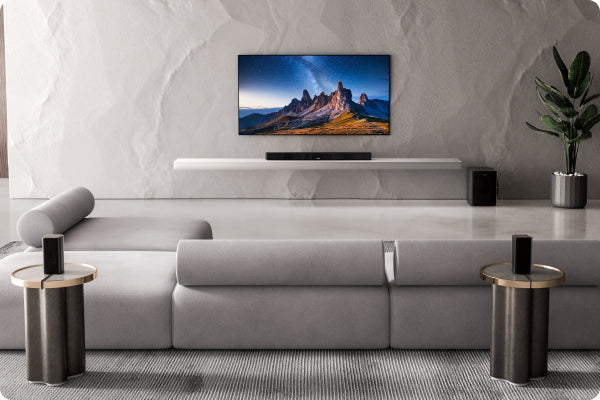
5.1.2 means front left, center, front right, left rear, right rear, one subwoofer, and two height channels overhead
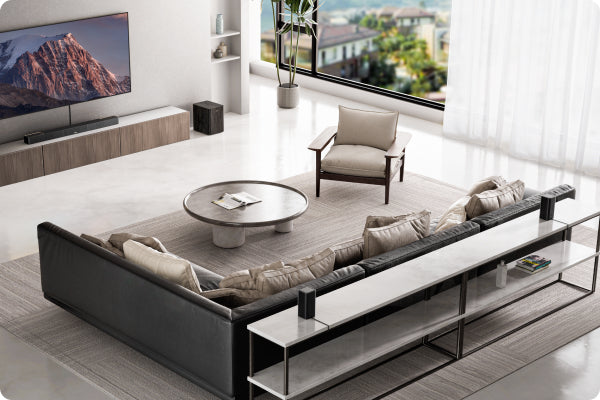
7.1.4 means front left, center, front right, left side, right side, left rear, right rear, one subwoofer, and four height channels overhead
Basically the bigger the numbers the more immersive and layered the sound feels. Think of it like sound having vertical and horizontal layers, almost like 3D for your ears.
5.1.2 vs 7.1.4 from a Soundbar Perspective
-
Surround Coverage
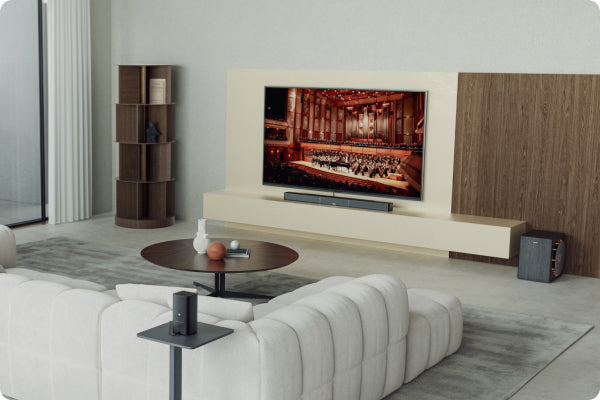
5.1.2 like the X40 or F40 Boom gives you solid surround sound, enough for a regular living room and perfect for watching shows, cartoons, or sports.
7.1.4 like the X60 or X70 adds side and extra overhead channels for a much stronger surround effect. Big action movies and sci-fi scenes feel more enveloping.
Tip: if your soundbar doesn’t have side speakers it still works by bouncing sound off your walls to create a surround effect, so smooth walls help.
-
Height Experience
This is where Atmos really shines. 5.1.2 has two height channels which let you hear sounds from above like rain or a plane flying overhead. 7.1.4 has four height channels so the sound is wider and more precise vertically, perfect for following fast-moving action.
Quick tip: if your ceiling is high or slanted, the up-firing channels might be less effective. Check before upgrading to avoid disappointment.
-
Realism
7.1.4 also has more precise sound positioning. You can really hear a character moving from left rear to front right, a plane flying overhead, or thunder rolling from far away to close.
5.1.2 can do Atmos too but it’s simpler in terms of space and depth.
Fun fact: your popcorn might feel like it’s shaking along with the rumble if your subwoofer is in the right spot.
-
Room Size and Placement
| Setup | Room Size | Recommended Use |
|---|---|---|
| 5.1.2 | Small living room around 10 to 20 square meters | Watching shows, casual viewing, simple setup |
| 7.1.4 | Large living room 20 square meters or bigger with projector or screen | Action or sci-fi movies, full immersive experience |
Remember more channels don’t always mean better. What matters is if your room can actually make use of them.
Which One Should You Choose?
| Setup | Ideal For | Quick Tip |
|---|---|---|
| 5.1.2 | Small spaces, want to try Atmos, mostly watching shows, simple wiring | If you want hassle-free setup, this is enough to enjoy Atmos |
| 7.1.4 | Big rooms, want full immersion, action or sci-fi fans, projector users | If you want that cinema feeling, this is your pick |
How to Upgrade from 5.1.2 to 7.1.4
Upgrading is not as scary as it sounds. Step by step:
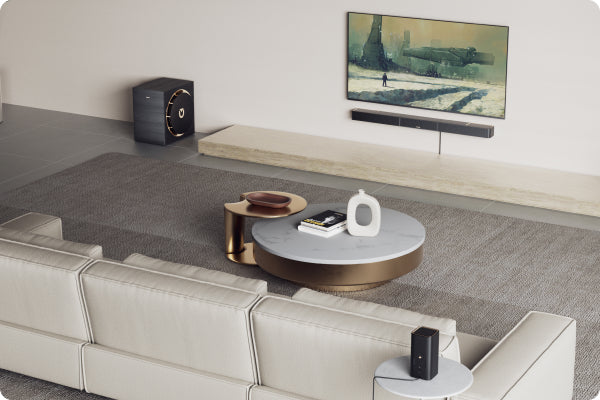
First check your room: is the soundbar centered, can you place rear and height channels, is your ceiling suitable.
Then check your TV or projector: does it support eARC, Dolby Atmos, and HDMI 2.1. Next upgrade hardware: either get a 7.1.4 soundbar like the X60 or X70 or add rear channels if your system supports expansion.
Optimize placement: rear channels slightly above ear level, try different positions for your subwoofer to get the best balance.
Finally calibration: adjust distances, volumes, and height reflection to really make the sound feel three-dimensional.
Bonus tip: once you hear it properly calibrated, you might never watch movies the old way again.
Real-Life Scenarios
| Scenario | Recommended Setup | Why |
|---|---|---|
| Watching action or sci-fi movies | 7.1.4 | Tracks are clearer, immersive experience |
| Watching shows or variety programs | 5.1.2 | Sound is good enough and comfortable |
| Sports events | Both | Depends on which surround effect you like more |
| Music listening | 5.1.2 | Cleaner and more direct sound |
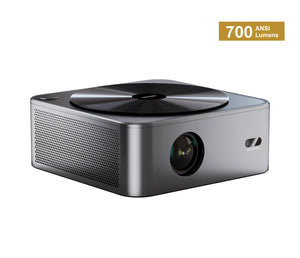
| Using projector or large screen | 7.1.4 | Better coverage and immersion |
| Apartments or small rooms | 5.1.2 | Bass is easier to control and won’t bother neighbors |
Conclusion
The main differences between 5.1.2 and 7.1.4 are in how wide the sound covers, how many height channels there are, and how precise sound positioning and immersion feel.
If you don’t know much about these numbers yet, here’s a simple way to think about it: small space or limited budget, 5.1.2 is enough.
If you want the full cinema-style surround and big action thrills, go for 7.1.4. Pick a system that fits your room and how you watch rather than chasing more channels just because the numbers are bigger.
Fun tip: after a proper setup you might feel like your living room has turned into a mini cinema, popcorn optional but highly recommended.

